Manabit - Pixel art studio
A downloadable tool for Windows
Manabit — Pixel Art Studio for Sprites, Tiles & Animation
Professional pixel art editor for sprites, tile maps, animation, and multi-stage projects — one app for the full pipeline, in the browser and on Windows desktop.
What Artists Say
★★★★★
“It's great to finally have a pixel art app that runs on Android with good clean UX!”
— @spookysquid
★★★★★
“Man, this app should be so well known.”
— @hasora_nami
★★★★★
“OMG i love THIS”
— @robarzeerh
★★★★★
“Now I just need some spare time to dive into the world of pixel art.”
— @PilotHaribo
★★★★★
“I've gotta try this”
— @jugglingdinoart
Unlock Full Editor
- Unlimited projects
- Full toolset, modifiers, and custom palettes
- Vector Paths — draw and create shapes using vectors
- Map Builder, multi-stage projects, and repeat tile mode
- Animation frames and export
- Windows desktop app and browser access
- Cloud sync across devices
- Native disk saves and auto-updates
- Free lifetime updates
For indie studios who love pixel art
That's the whole studio unlocked — sprites, maps, animation, desktop, and browser. One price, yours forever. No tool paywalls later.
Inside the Studio
Map Builder
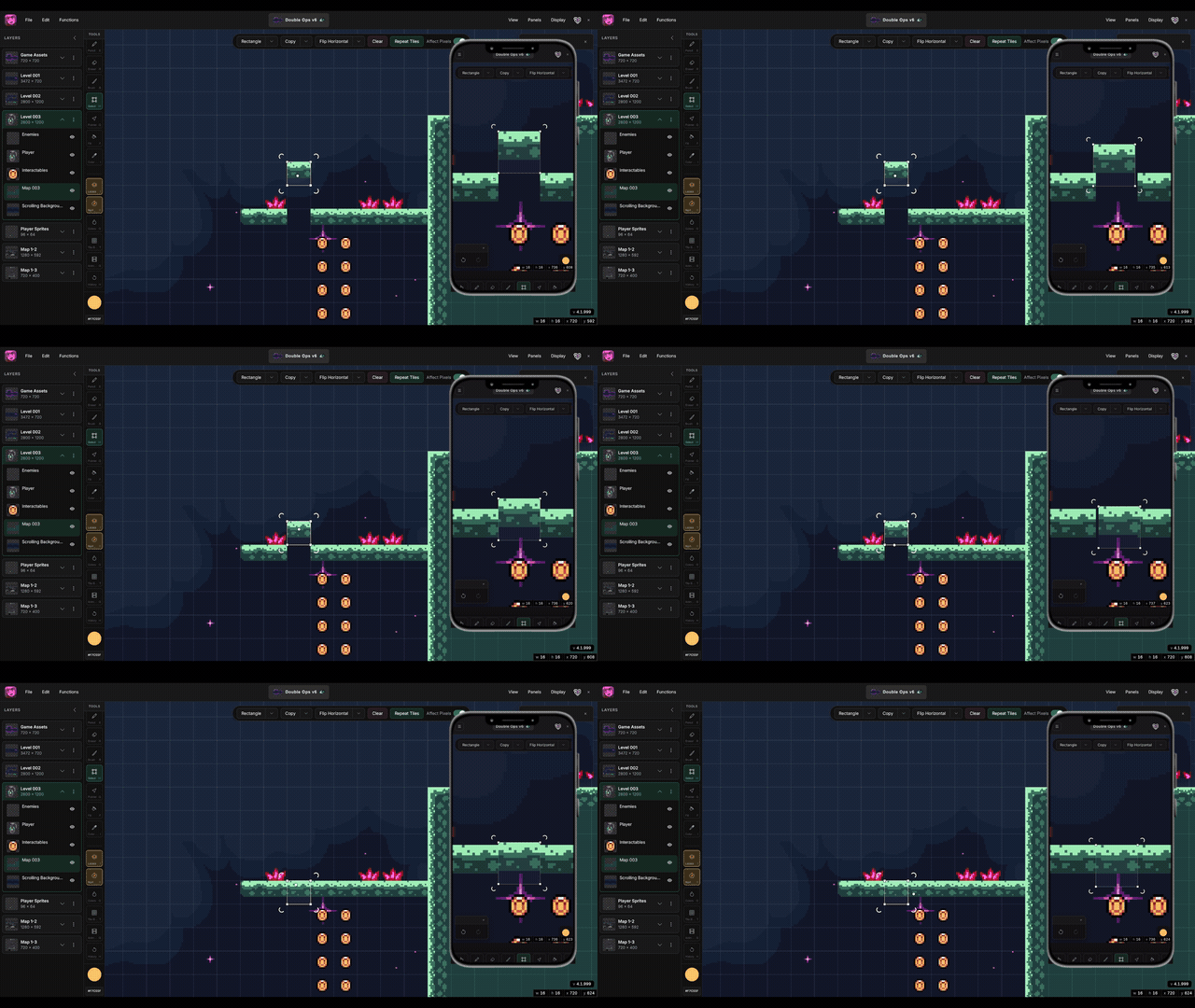
Grab a tile from your canvas, drop it in the library, then stamp it with the Brush — your tiles become brushes. Sketch grass, paint a whole floor, and when you fix a tile later, push that update across the map. No bouncing between a pixel editor and a separate map tool.
Hue Shifter
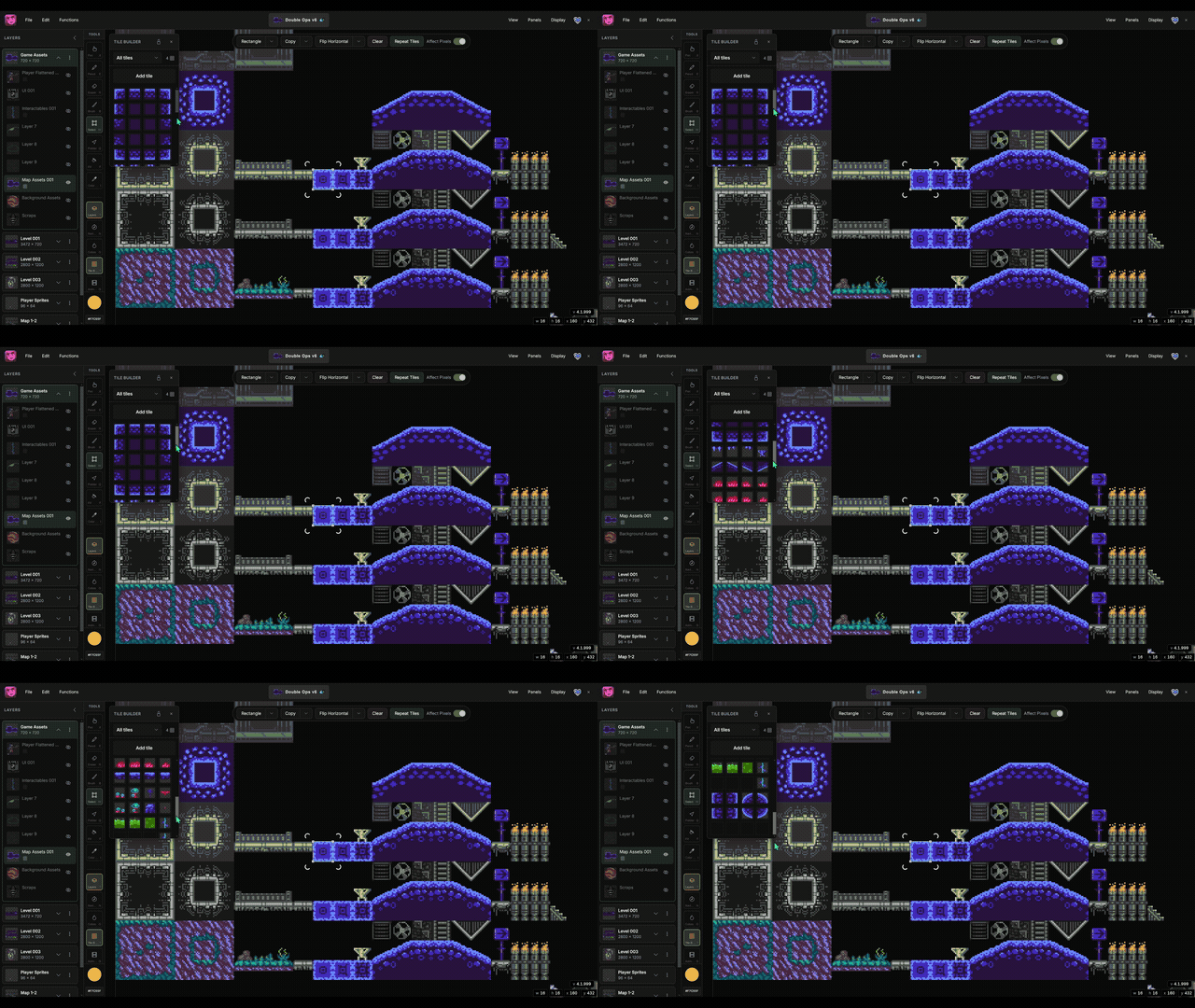
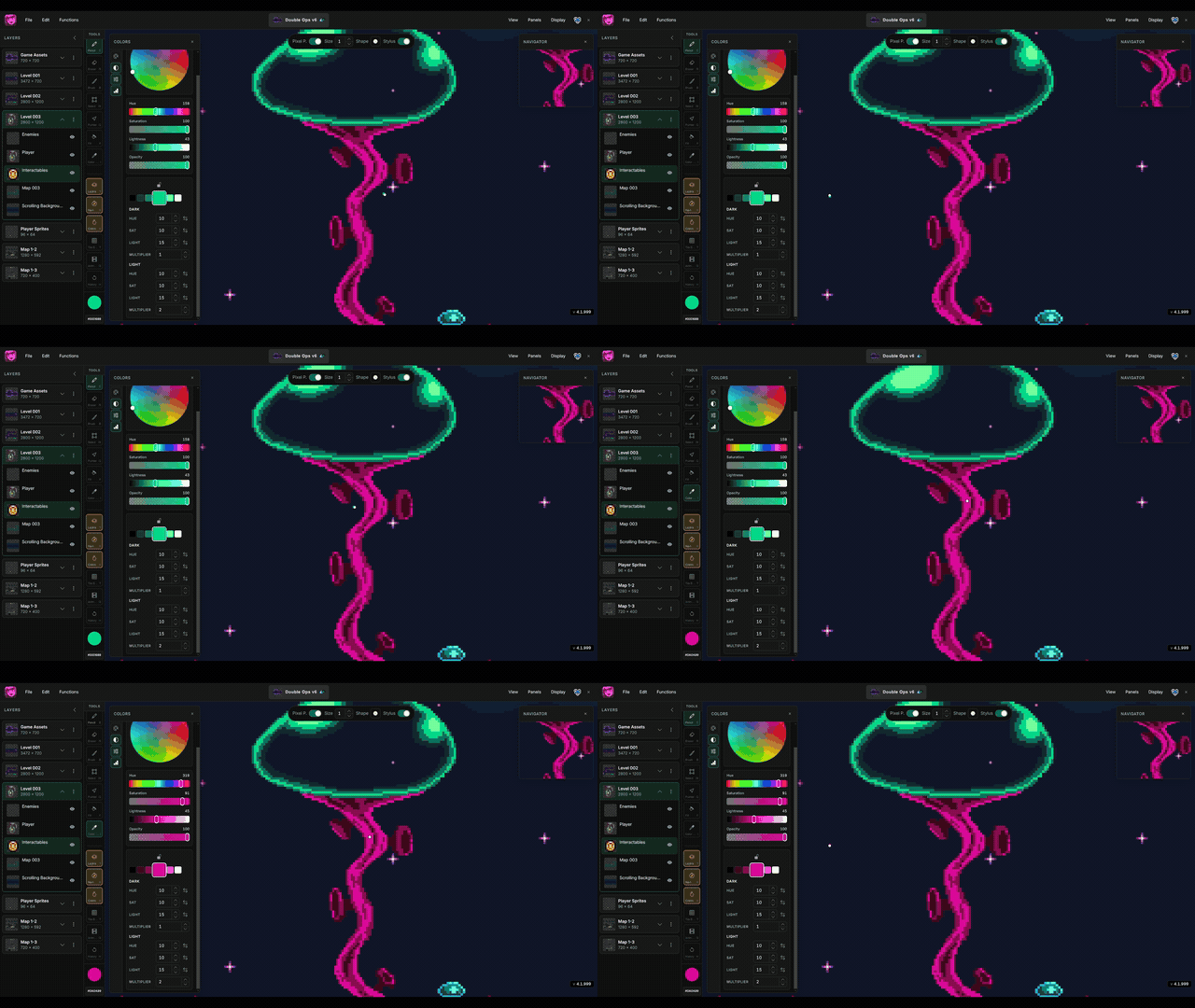
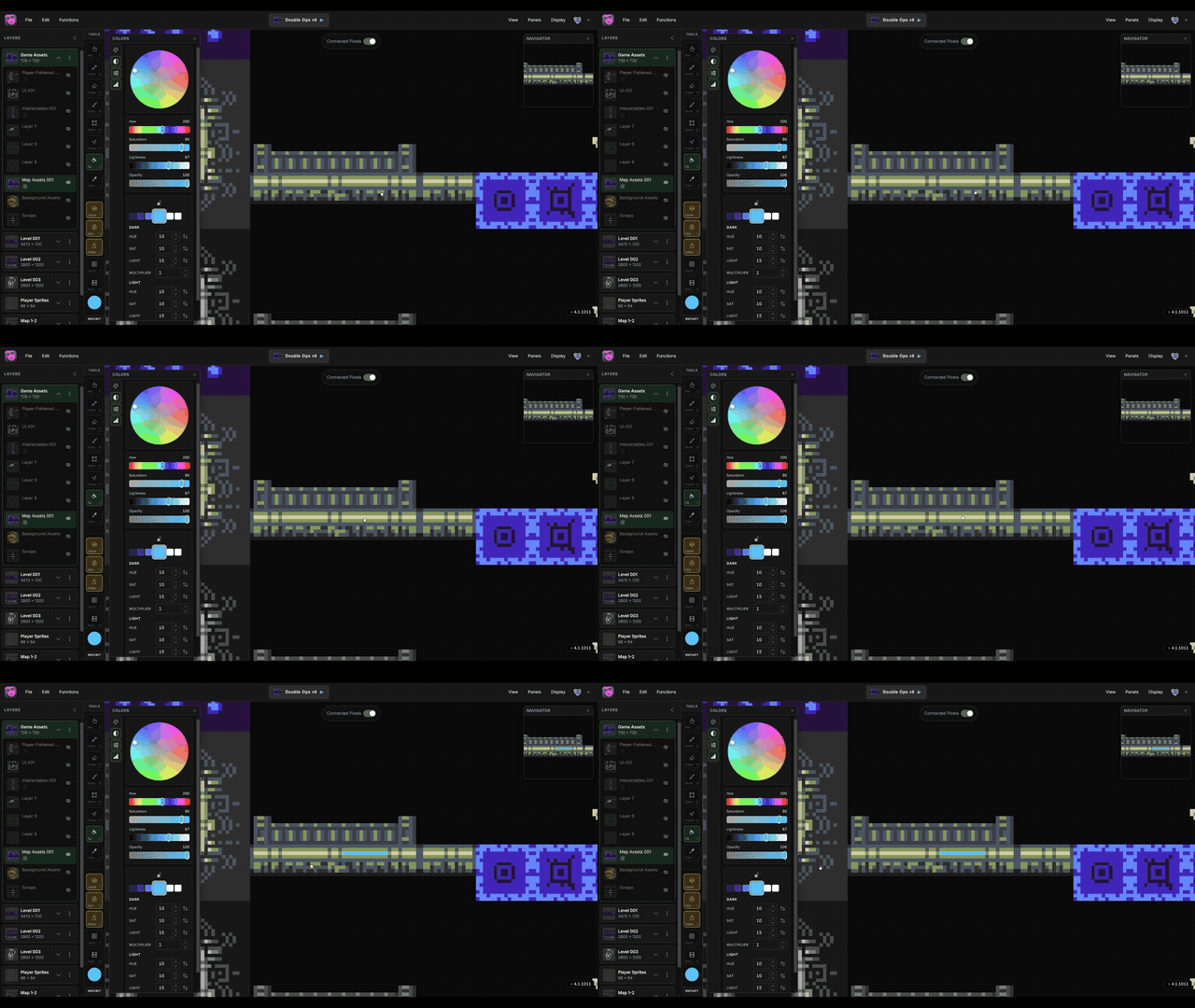
Built-in hue shifting for shading and lighting. Lock an anchor color and Manabit builds a strip of darker and lighter hues for you — click a step and paint. Tune how much each step shifts hue, saturation, and lightness, and which direction they go. On-hue shadows for skin, cloth, metal, grass — not muddy grays.
Modifiers
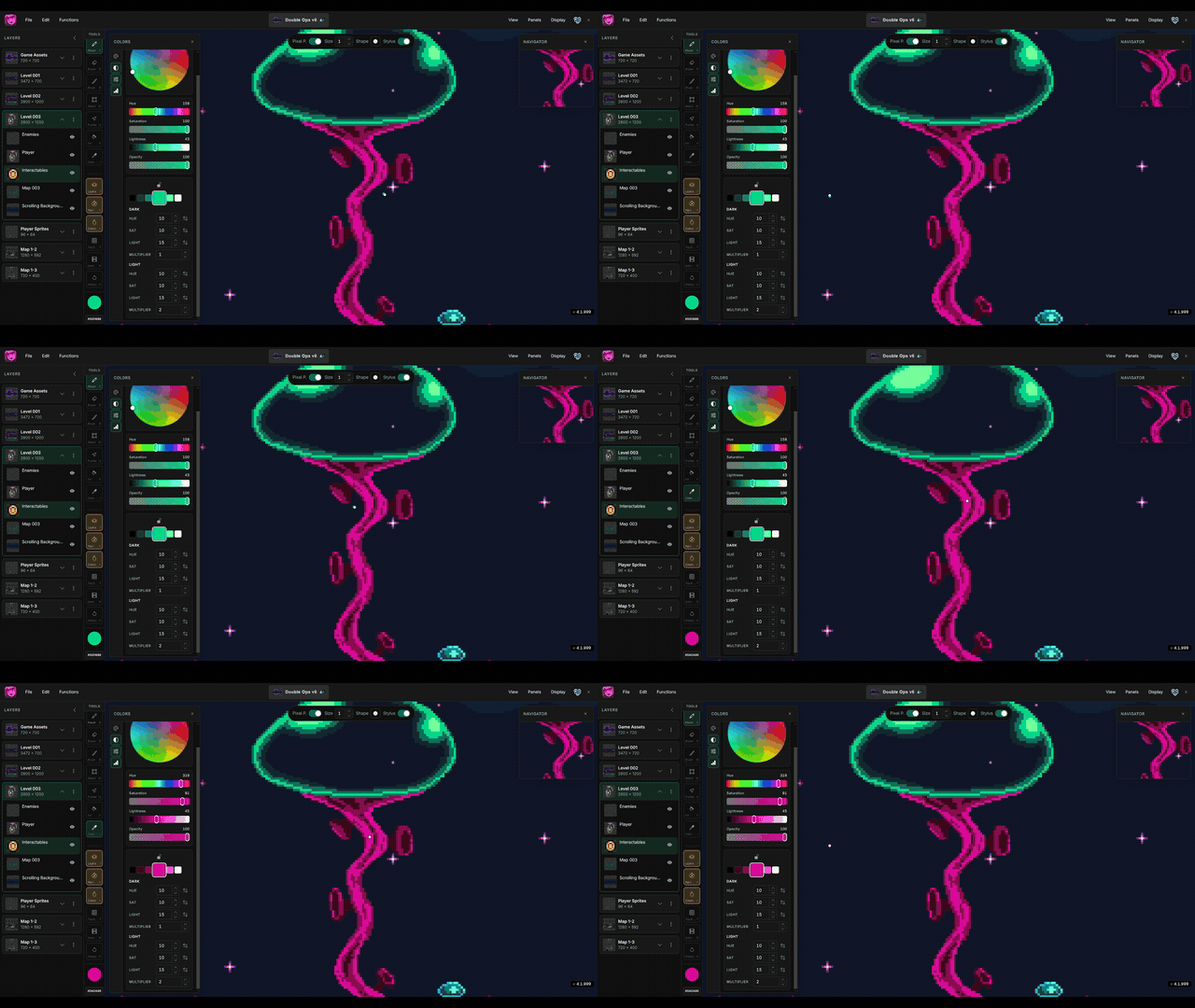
Recolor or outline a layer (or a named slice) without flattening your pixels. Color modifier for hue, sat, light, contrast; Outline for clean edges with width and placement. Toggle them on and off while you work — try a palette swap without committing forever.

Animations
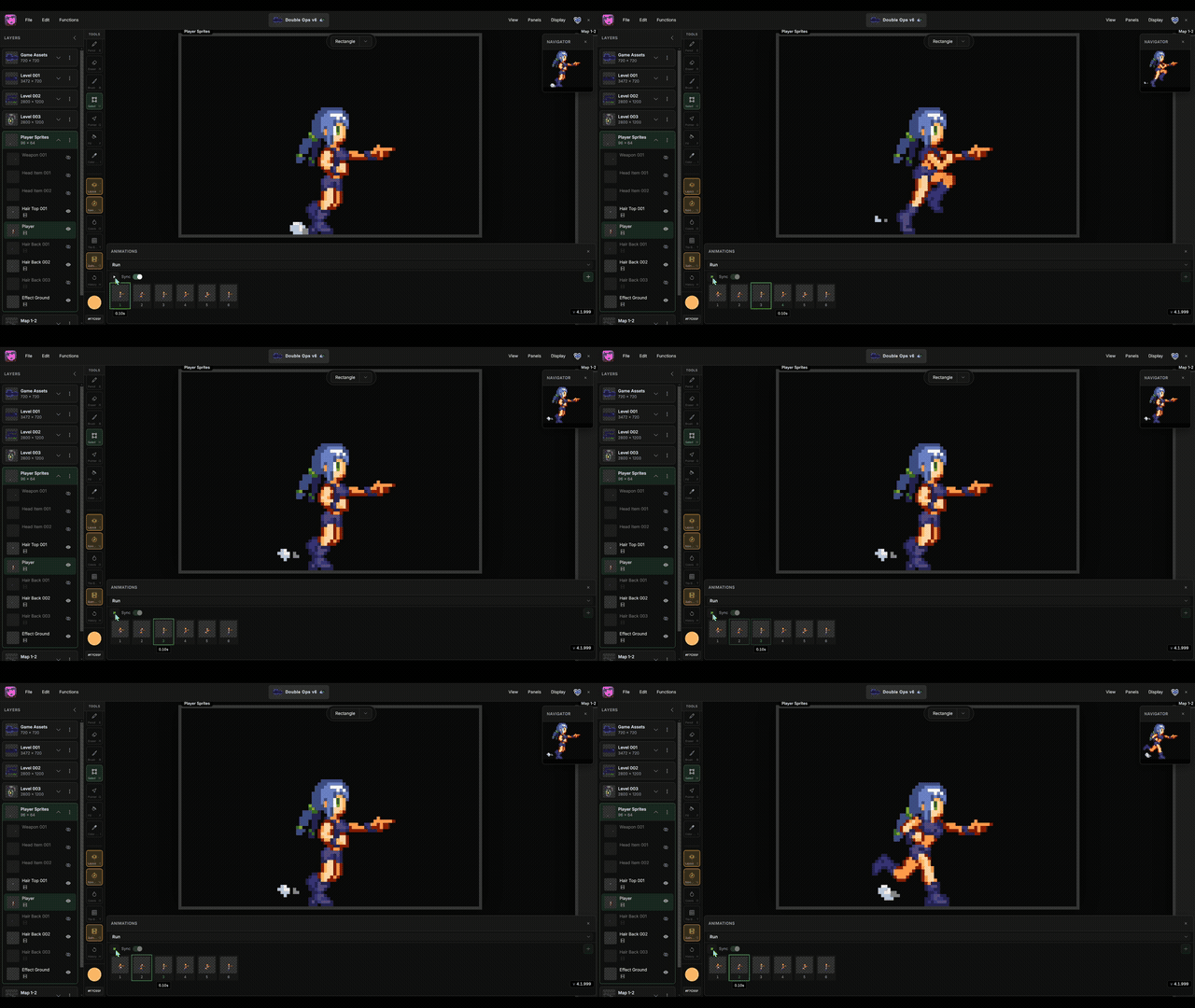
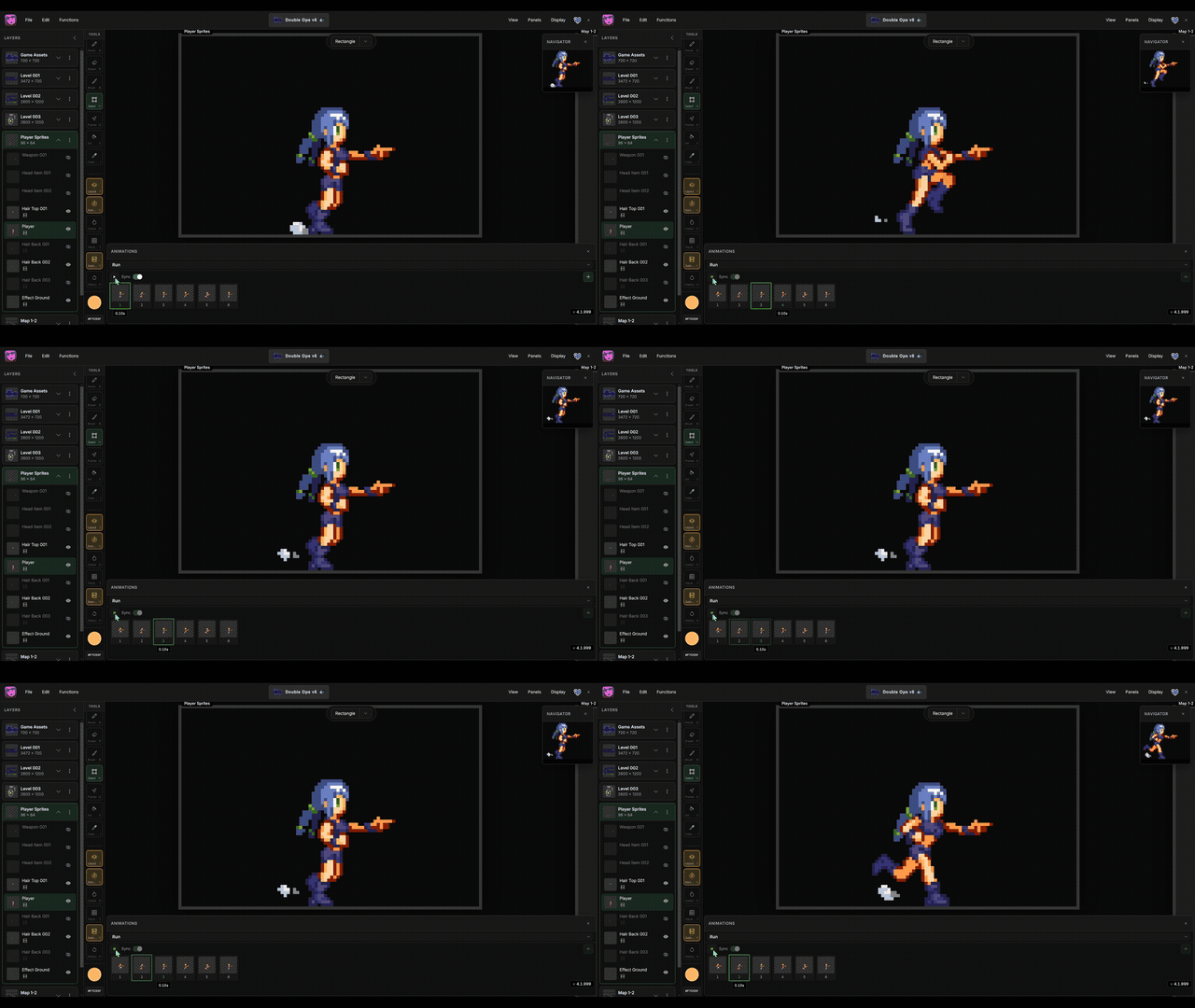
Game asset-based animation — different objects get different animation sets. A player's idle, walk, and attack aren't the same clips as a water tile's loop, even when they share a canvas. Each layer owns its own animations; Sync them when you want body, gear, and FX playing as one asset, then export GIF or strips for your engine.
Stages
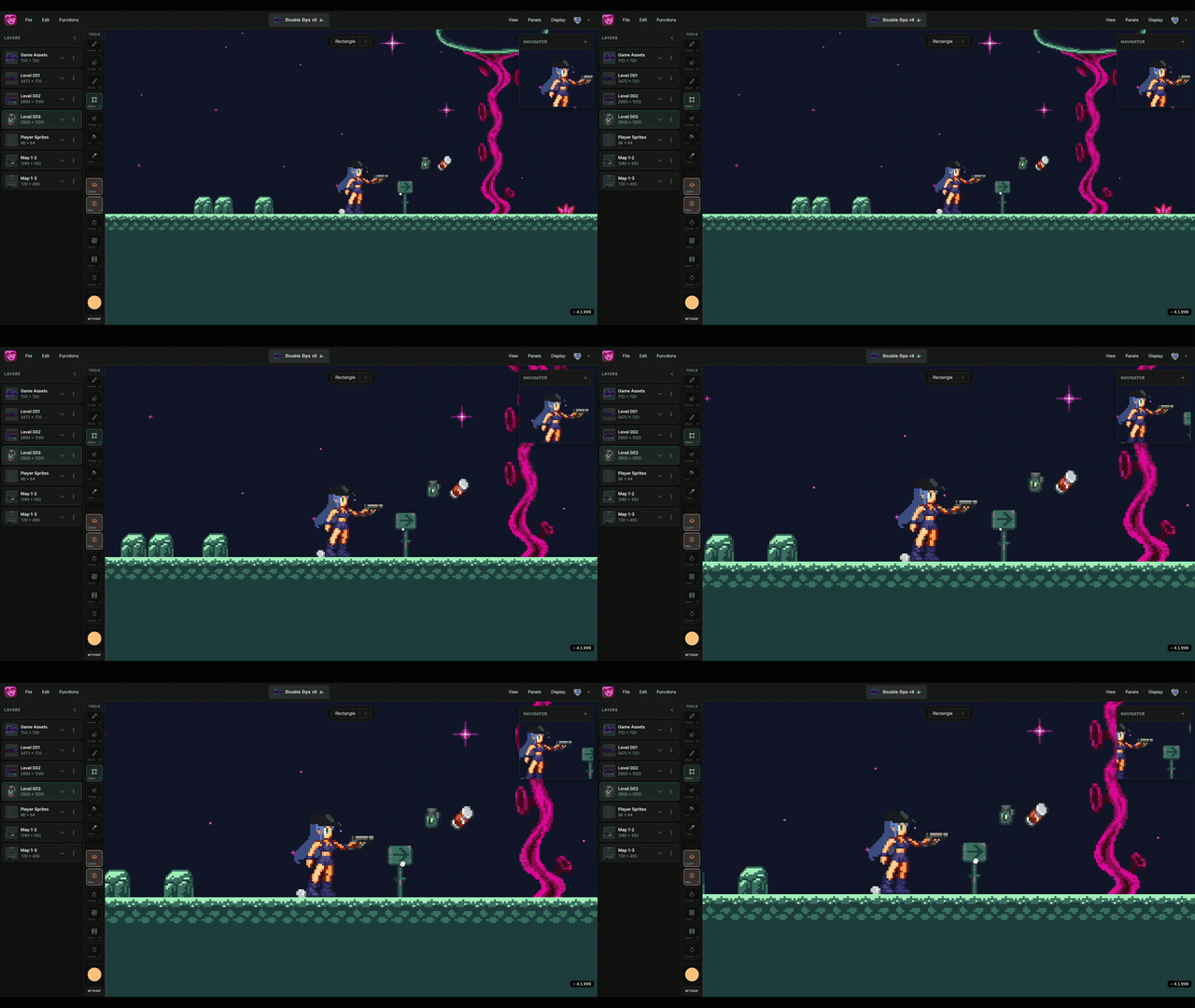
Built for game designers. Use stages for levels, characters, tilesets, and UI in one project — transfer or copy items from one stage to another instead of juggling files. Resize when a level needs more room; your pixels stay put. Scaling your game is easier when the whole pipeline lives here.
Repeat Tile Mode
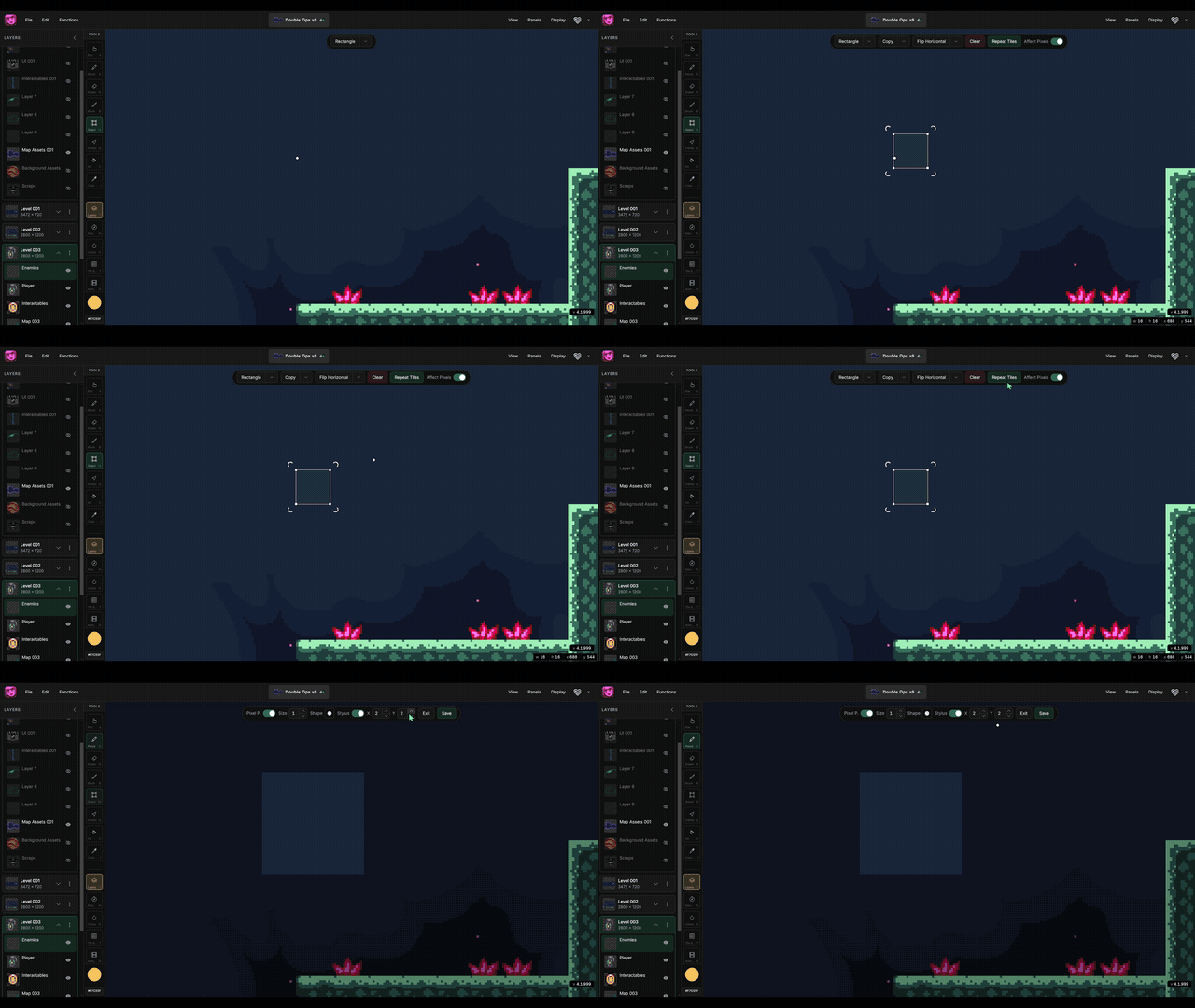
Select a tile, turn on Repeat, and watch it tile while you draw — every stroke updates every copy. Catch bad seams and broken rhythm before they hit your map. Set X/Y counts for a tight close-up or a wide floor preview, then send it to Map Builder.
Independent Navigator
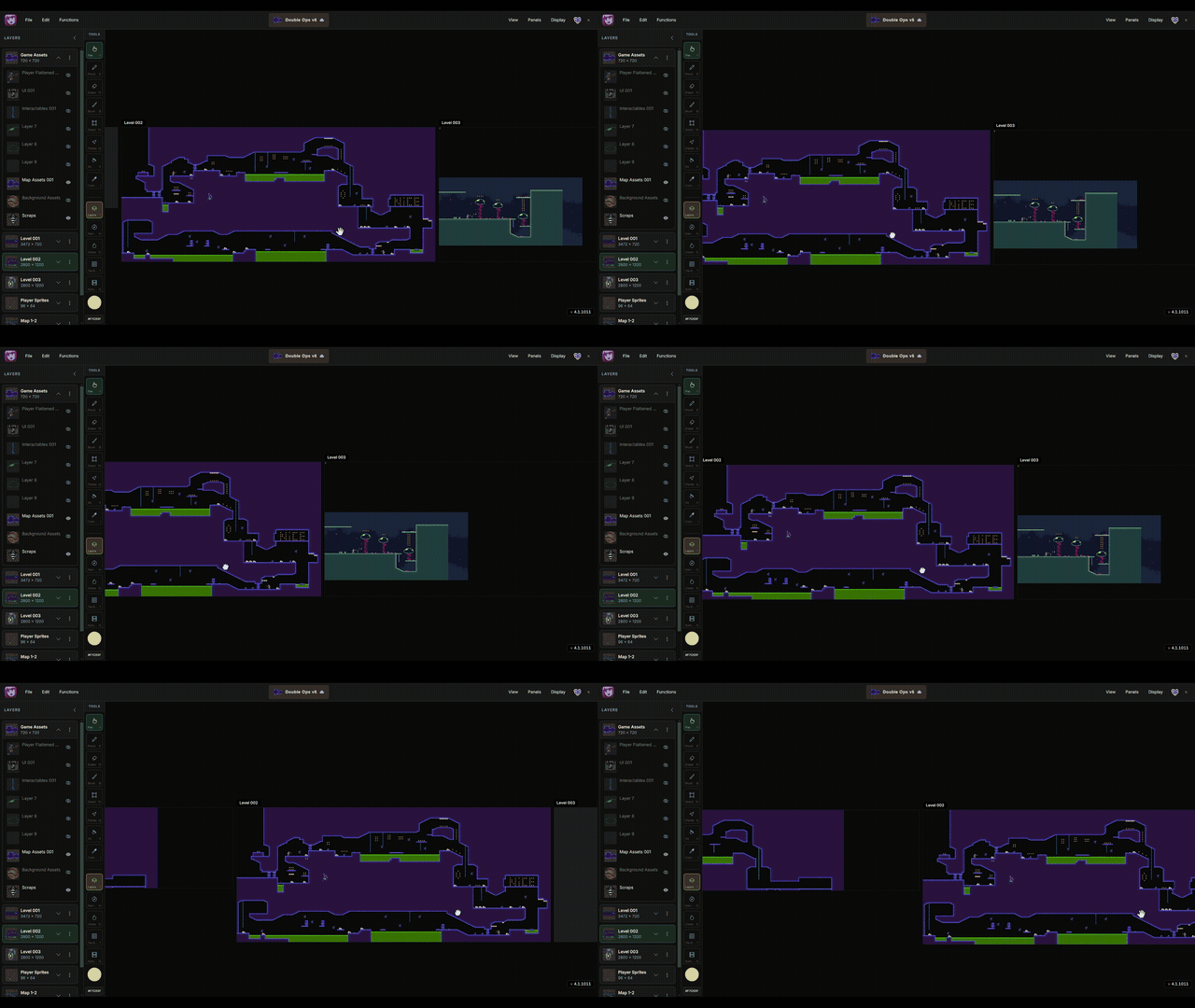
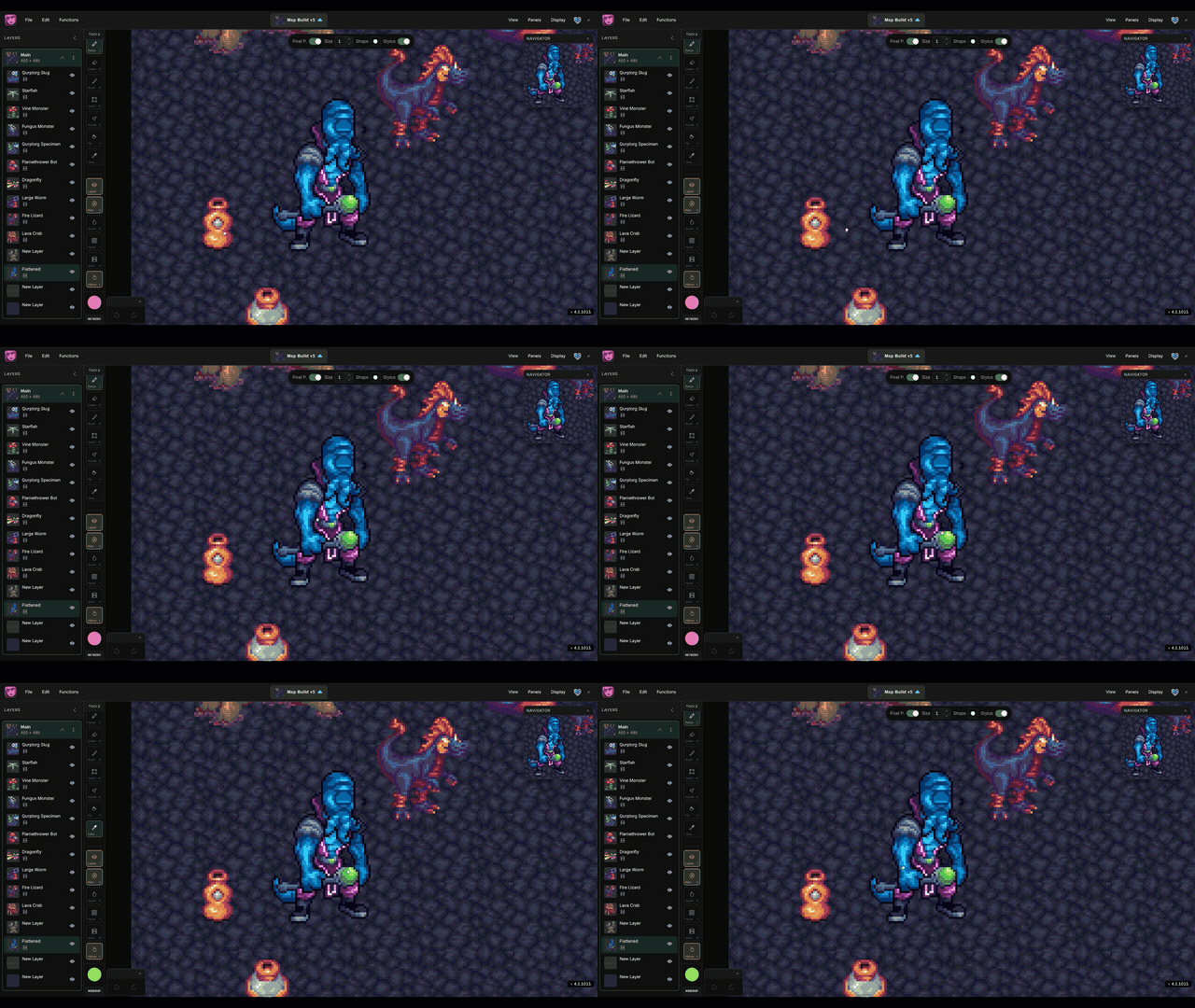
A live preview that works with stages and synced animation. Keep a reference stage in view while you paint, or loop a clip in the navigator while you edit frames on the main canvas — so you can judge timing and silhouette without leaving your drawing.

Cloud Sync
Start a sketch on iPad with Apple Pencil or on an Android tablet, then open the same project on your desktop to build maps and export — layers, palettes, tiles, and stages intact. Draw wherever you are; finish where you ship.
Also Included
- Vector Drawing — shape paths with stroke, fill, and width, then rasterize to pixels
- Pixel-Perfect Lines — clean 1px strokes without chunky corners
- Selection Slices — named regions you can bookmark and target with modifiers
- Custom Palettes — import, edit, and export .gpl, .pal, and images
- Import & Export — open Aseprite, PSD, GIF, and images; export PNG, GIF, and animation strips
- Layers — stack art, keep clips per layer, and edit without flattening
- Drawing tools — Pencil, Eraser, Fill, Select, Brush, Color Picker, Pointer, and Pan
- Pixel Shift — nudge selections and art by exact pixels for clean alignment
- Grids — snap and guide your work for tilesets and sprite sheets
- Stylus & Apple Pencil — draw on tablet with stylus-only mode and stroke stabilizer
- Windows desktop — native disk saves, auto-updates, and an offline-friendly workflow
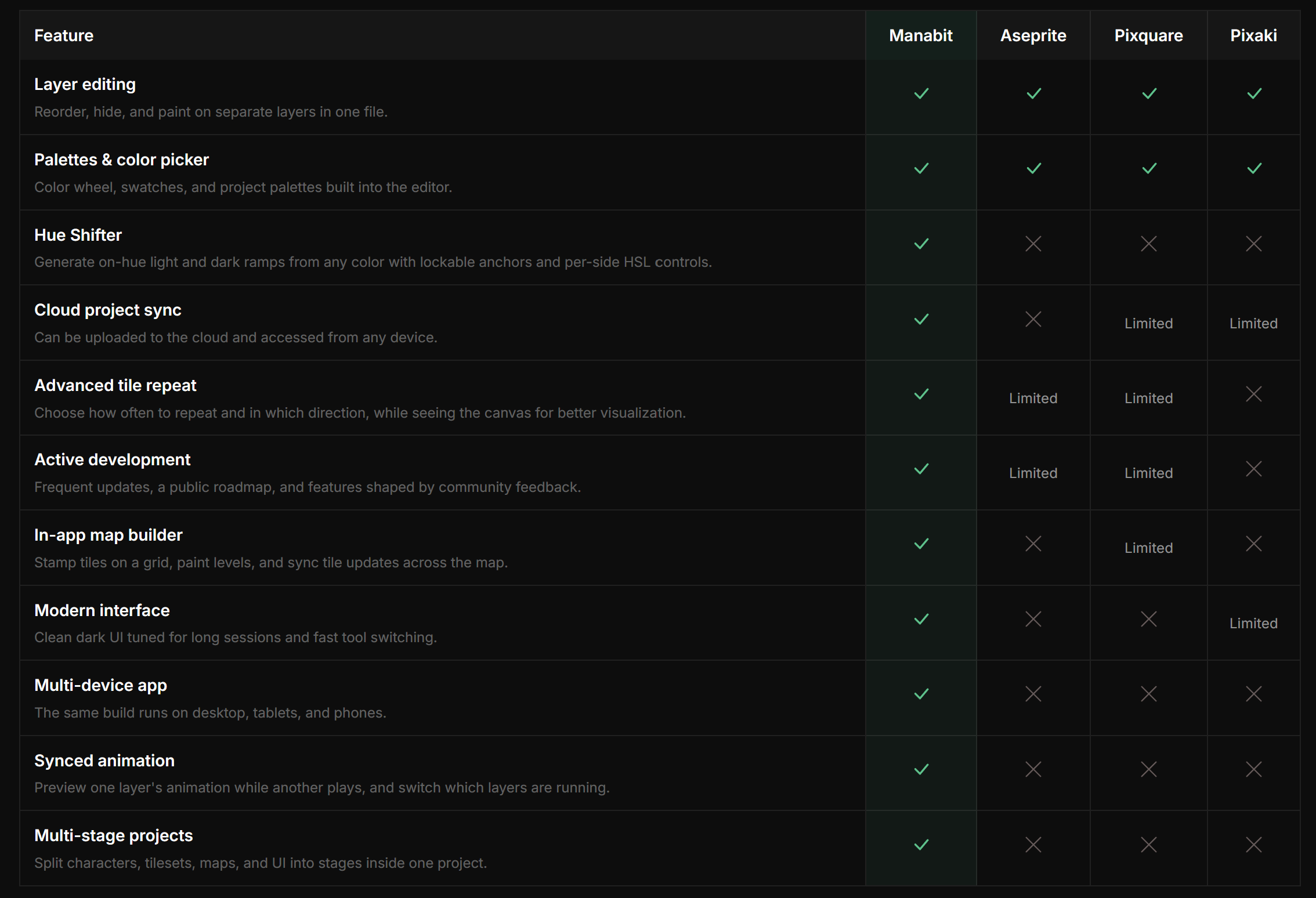
What's The Difference Between Manabit And Other Pixel Art Apps?
Frequently Asked Questions
Can I get a refund?
Yes — itch.io purchases are refundable within 24 hours if Manabit isn't for you.
Does one purchase cover desktop and browser?
Yes. One license unlocks the full editor on Windows desktop and in the browser when you sign in — no separate web license.
Does it work on Android?
Yes. Open Manabit in a modern Android browser (Chrome works well) and draw with touch or a stylus. Layout adapts for phones and tablets.
Does it work on iPad?
Yes. Use Safari or another modern browser on iPad — the editor runs full-featured in the browser, with touch-friendly controls.
Does it work with a stylus and Apple Pencil?
Yes. Stylus and Apple Pencil are supported in the browser, including stylus-only mode and pencil stabilizer.
What tools does it have?
Pencil, Eraser, Pan, Brush (tile stamping from Map Builder), Select, Pointer, Fill, and Color Picker.
What features does it have?
Layers and multi-stage projects, Map Builder, Repeat Tile Mode, Animations, Import & Export (PNG, GIF, Aseprite, PSD), Custom Palettes, Hue Shifter, Modifiers, Selection Slices, Pixel-Perfect Lines, Independent Navigator, Cloud Sync, and the Windows desktop app.
Can it open Aseprite files?
Yes — plus PSD, common image formats, and GIF.
If new features get added later, do I get them with this purchase?
Yes. Your one-time purchase includes free lifetime updates. No upgrade fee.
Can I use art I make commercially?
Yes. You own your artwork and may use it in commercial games, client work, and sold assets.
What about Mac or Linux?
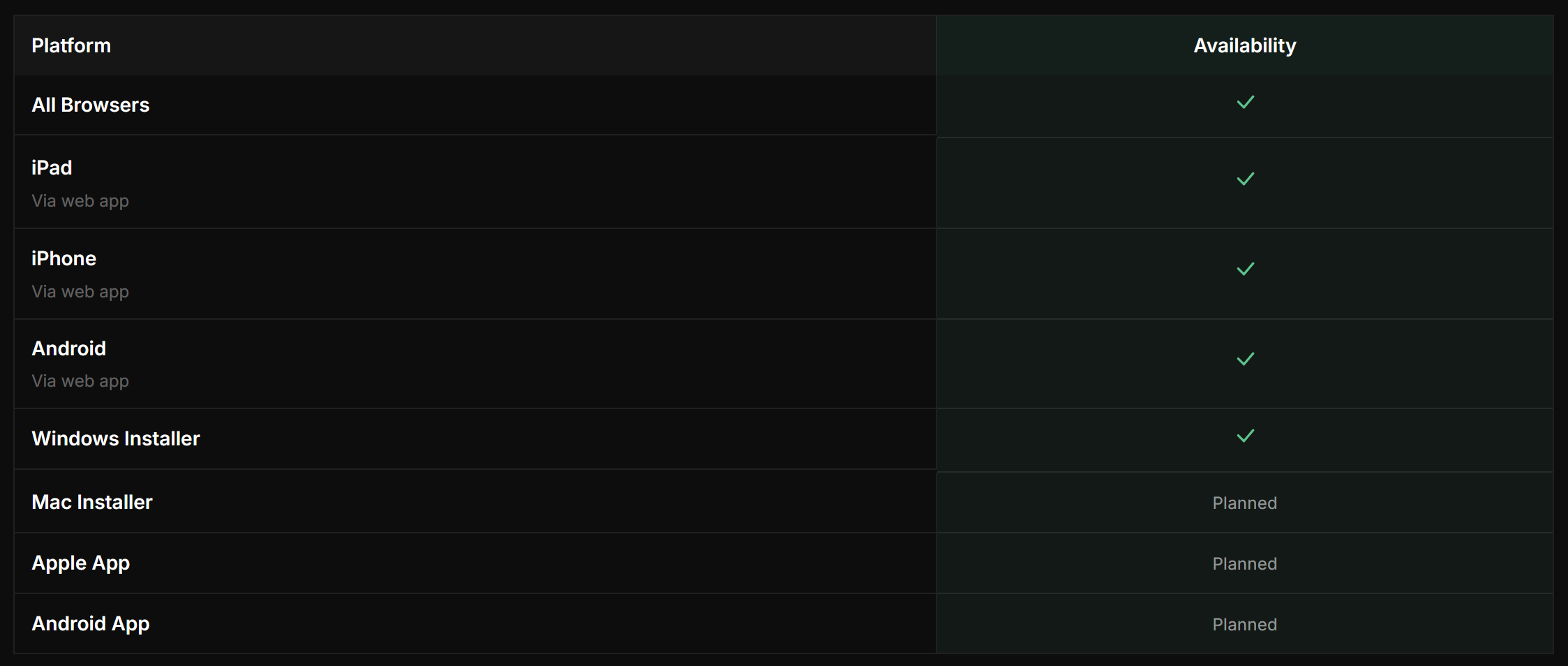
Use the full browser app on any modern device. The native desktop installer is Windows only today.
After You Purchase
Download the Windows installer above for native disk saves, auto-updates, and an offline-friendly workflow.
Your purchase also unlocks the browser editor. After buying, sign in on manabit.app, link your itch purchase from your account page, and the full editor unlocks in the browser too. One purchase covers both.
Docs, Tutorials & Community
Docs · Tutorials · Discord · YouTube · X
Order Summary
Manabit — Full Editor
1 seat · Windows + browser · Instant access
- Full editor, all tools — Included
- All devices via browser — Included
- Windows Installer — Included
- Future updates — Included
Total — 50% off · Limited time · $19.99 $9.99
One Time Purchase · Lifetime Updates
Purchase above to download the Windows installer and unlock the full editor. Refundable within 24 hours on itch.io.
Purchase
In order to download this tool you must purchase it at or above the minimum price of $9.99 USD. You will get access to the following files:
Development log
- 5 Reasons Why I Outgrew Aseprite7 hours ago
- Aseprite Alternative for Game Dev — One Studio for Art and Levels2 days ago
- Use vector shapes to speed up your game designs8 days ago
- Version 4.1.1102 - improved Pointer tool, Independent Navigator and more.41 days ago
- Manabit 4 — Pixel Art, Animation & Level Design App for Phone, Tablet & Deskto...43 days ago
Comments
Log in with itch.io to leave a comment.
Does it works on Linux?
via any browser, yes. And you can do a Shortcut to it :)
Any plans on a native Android/iOS port? There is a gap in the market for a powerful mobile sprite editor.
There are plans for that. We just need a bigger user base first.
However the web version is fully-featured that works on iOS and android!
Makes sense to me. I bought it because it sounds like a good idea. I am looking forward to digging into it.
Awesome! Welcome to the community :)
I suggest you join the Discord as well as I post early feature releases and updates there!
Discord